 Viseum AI Surveillance Video Monitoring Software
The Viseum Brand is well known for introducing complex technologies as trusted plug-and-play Product Solutions.
One control room for a whole country
An operator works an alert through a guided procedure. Control rooms, city masters and a national centre then link up, with a hot backup at every level.
See Viseum Video Management System
Read the step-by-step description
The view opens on one control room's video wall: nine screens, each a different live alarm scene from the diagrams above (an object found by the Viseum AiRadar, a face confirmed in the camera network, the suspect's car handed from city to city, a person re-identified in the city, a crossing attempt stopped at the border, a drone over a protected site, the plate mismatch sent to the UVSS, the wanted passenger matched in the check bay, and the watch-list alert at the border), with the alerts list beside it. Any screen with an alert is lit in gold, and each alert opens an incident with a guided procedure that the operator follows step by step: the alert is raised and prioritised, an operator accepts it, the right cameras and the map are brought up, the operator verifies it (a false alarm is closed and logged here), a responder is sent with the live view, it is escalated if needed, and it is resolved and logged for review. The view then pulls back: the wall shrinks into its control room on the map, and every other control room in the country comes into view, each drawn as a small, sharp copy of a wall. The network is drawn as a tiered design. Each of three cities has a city master command centre and a backup master on hot standby in a separate area, and its district control rooms report to the master (dashed blue lines are the backup links). Along the land border, the sector controls report to a border master, which also has a backup. Only the masters report to the national command centre, which has its own backup, and they send up only high-risk alarms. Information pulses along the links, each room reporting at its own moment, while people are followed from city to city and each control room they reach lights up in gold. The view then moves into the national command centre, whose wall shows only a few high-risk alarms live, with a status light for every site beneath, and calls up more video on demand (no centre streams every room at once); into one of those screens, which is the first control room's wall; and on into one remote site's live view, before zooming back out to the wall, and the whole sequence runs again without a break. Every zoom takes the same time with the same easing, and every view is held for the same time between zooms.
Global F3 Find, Fix and Follow
One suspect, from a plate read in a city to detention at a border. Each step is found, fixed and followed, and a person confirms before anyone acts.
See Viseum Global F3 Find, Fix and Follow
Read the step-by-step description
A suspect vehicle drives into City A, watched by Viseum 360-degree and fixed cameras, among ordinary traffic. The bar along the top shows the stage: find, fix, follow. The strip along the bottom names where we are (for example City A, Station, Main Street), with the camera or source that has the person and the time; once the view moves in, the inset in the top corner shows the whole city with a gold rectangle for the part in view. Four moments slow down and zoom in: the face captured through the windscreen while the car is held in queuing traffic at a junction, and identified against the watch-list as wanted; the operator confirming the match from the line of look-alikes; the person lost inside a building, every exit watched, and, after changing clothes inside, re-identified on the way out: a card shows the watch-list profile (red jacket) beside what camera 14 sees (grey jacket), and ticks face, build and height, the backpack and the phone data in turn, marks the jacket as changed, and updates the profile; and the switch to a new car, when a drone takes over. Find: the number plate is read on the move; it belongs to a white Nissan Patrol but the car is a black Toyota Camry, so the car is flagged. The crosscheck appears over the bottom right, so the map stays clear. Fix: on foot among people who look alike, the cameras turn to each look-alike in turn and score it as they look (violet circles); the closest scores are listed, and one best match goes to the operator, who confirms it. Follow: each camera hands over to the next with a gold token. Police are told at once, but in a crowded city they follow at a distance and wait for a safe place to stop the suspect, so the cameras keep the suspect in sight for them; the second half shows where that happens. When line of sight is lost, dashed routes run to the cameras the person could reach next; the route to the camera where they reappear turns solid and the others fade. Cameras cannot see through high-rise blocks, only along streets and across open spaces. Each source is shown on the map where its information comes from, and its place on the Global F3 ring lights as it reports: a public post placing them in the area, a database record of past events on this route, a shop's own camera, shared live with the city network under a registered partner programme (as Dubai's Oyoon programme links private-sector cameras) and matched by the suspect's profile, the phone mast whose network data, where lawfully provided, places them inside the building, the vehicle crosscheck of the new car, and the drone. On the right, each source lights as it reports, the match level rises and falls with what is known, the newest finding sits at the top and command control shows which alerts went out. At the end the whole route is drawn in gold and the car, with the drone above it, leaves City A at the edge of the map. The match levels and scores shown are examples. Command control shows how each alert is used: the operator's alarm and the video wall in the control room, the patrol's handheld app (live view, photo and route) and the police radio for the officers on the ground, and the case file, which keeps every image and finding as evidence.
The suspect then drives away. In a slow moment at the city limit, the drone, which flies over City A only, hands the car to the first highway camera with the usual three beats (the drone glows, a gold token passes, the camera glows) and turns back. The same city then pulls out into its place on a simplified map of a real coastline and border, with no real names. Between the highway's cameras the car is unseen, so Global F3 weighs four possibilities, each drawn as a dashed blue route: the car hides in City A, or it heads for City B, the airport or the border crossing. City A's control room watches its parking areas and garages for the hiding case, and the profile, face and plate are sent ahead to the other three. Each possibility is then settled in turn: the plate read at City B rules out hiding in City A; the airport sighting confirms that route; no sighting back in City B rules City B out; and the border crossing is where the suspect is detained. The bars on the right show where the suspect could be, and the clocks show the journey time and the time since they were last seen. Each re-identification is a slow moment: the view slows down and zooms in. On the coastal highway at the edge of City B, a number-plate camera reads the car's plate in moving traffic (the plate is shown masked); staying in City A falls away and the route to City B turns solid. City A's control room then hands the case to City B's: the first glows, a green token travels between them along a green dotted control room link, the second glows, and the label in the corner of the map changes to the control room now in charge. At the airport entrance, where the airport runs live watch-list matching as Gulf airports do, the suspect is re-identified by face and profile against the authorised watch-list and an operator confirms, and police are sent from inside the terminal, but before they reach the entrance the suspect is back in the car and drives away, still followed by the cameras. With no sighting back in City B, the possible routes narrow to the inland road and the case is handed to the border control room. At the checkpoint the face and the plate are matched against the watch-list, an officer confirms, the lane barrier stays closed, and two officers detain the suspect at the booth and lead him away. He never crosses. Because he was heading for the neighbouring country, its police are then told through INTERPOL, in case accomplices or others are waiting for him on their side; nothing is tracked there. Finally the whole journey is drawn, solid gold where a camera saw the suspect and gold dots where it was worked out, with each hand-off marked by a gold diamond, and the panel sums up the sightings, hand-offs and elapsed time. Throughout, the overview in the corner shows where each close-up sits, and the strip along the top names the place. What each source on the Global F3 dial adds: Vehicles reads every plate and finds that this one belongs to another car; Face confirms the person, and an operator checks every match; Social media, checked under lawful authority, places the person on a street from a public post; Knowledge databases (police records) show the route was used before, so the system predicts where they go next; Partner cameras, a shop’s own cameras shared with the police, keep the follow going; Mobile networks, where lawfully provided, confirm the person is inside a building; and Drones follow from above when the person drives away. The match scores, plate digits and journey times shown are examples.

Read the Metropolitan Police surveillance officer’s report
- The Viseum AI surveillance technology introduction is a phased programme that trains and equips your team while the system is deployed. Optimise time, resources, and budgets to be trained and equipped to deliver the best security and surveillance services. Use the most advanced and future-proof equipment and software, designed to be upgraded in service.
- See how different technologies can be combined to create extra security and surveillance applications. Optimise budgets and business plans for working with Viseum long-term.
AI surveillance technology introduction, level 1
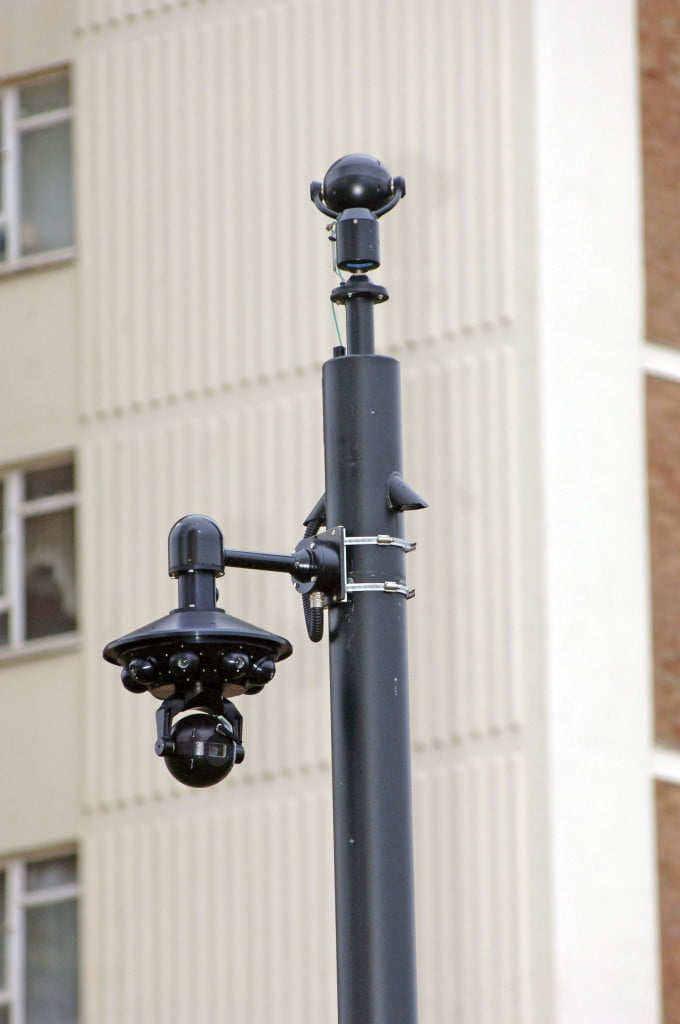
Level 1 lets your team evaluate and learn the system on one site. Used for basic training, product evaluation, and familiarisation, this innovation protects the customer’s security while saving time and money. We have many customers who remain at just this level. First, introduce the Viseum Intelligent Panoramic Security Camera and the Viseum Central Intelligent Video Management System (Viseum CiVMS). This is the most popular plug-and-play surveillance technology for Viseum customers to understand and benefit from immediately. This results in these new situational awareness capabilities:

- Cover the size of 4 Olympic stadiums with 1 Viseum camera. See all around in high quality. At the same time, automatically zoom into the scene for close-up video.
- Viseum iVOS Software Technology Services monitors all cameras and controls PTZ Cameras to automatically detect, confirm, and follow multiple incidents in any direction at the same time.
“A citywide project can start with a demonstration of just one Viseum camera.” (President of the Viseum UK Group and CEO of Viseum International Limited)
This delivers more than the customer’s expectations. It also shows how any other surveillance technology in complex and challenging environments can compromise the reputation of an entire security network. A city’s most vulnerable areas, or crime hotspots, are usually selected for this, running for 1 to 2 months.
 Every surveillance camera installation we deliver follows one internationally regulated process. First, we survey the site and agree measurable security goals.
Learn More »
 Our surveillance demo equipment lets a government team judge the technology on its own ground. First, we deliver a working system to your site.
Learn More »

After the customer has experienced these benefits and understood Viseum’s core capabilities, as well as Viseum training and support services, they can then be introduced to more advanced Viseum Product Solutions, such as automated face-to-person confirmation, automated registered number-to-vehicle confirmation and automated person/vehicle following.
An efficient sales process
The educational nature of Viseum’s Disruptive Technology needs an efficient sales process.
This deployment option is Viseum Face Recognition Software Technology Services.
LEVEL 2

This deployment option is Viseum Face Recognition Software Technology Services. It usually starts after the 1st month of level 1 and lasts for 1 to 2 months. This is for the training of face database management, watchlist management, and how to use it. For example, find and follow people, and allow/disallow people into controlled areas.
This is a demonstration displaying the uses of LEVEL 1 and 2 of this programme. It has many other advanced systems in operation.
LEVEL 3
This deployment option is for Viseum iVOS ANPR (Automatic Number Plate Recognition). It usually starts after the 1st month of Level 2 and lasts for 1 to 2 months. This is for the training of vehicle database management and watchlist management, and how to use it. For example, find and follow vehicles, and allow/disallow vehicles into controlled areas.
Levels 2 and 3 will each take 2 weeks of field training and usually use:
- 10 x directional HD cameras and 10 x Viseum IMC cameras.
- Dedicated Viseum CiVMS servers running Face Recognition Software Technology Services and another running iVOS ANPR Software.
LEVEL 4
It usually starts after the 1st month of level 3. This level of Viseum’s Technology Introduction Programme is for automated people surveillance in complex and challenging environments. This uses Viseum iVOS F3 (find, fix and follow). It automatically identifies and re-identifies targets (people and vehicles) throughout the security network.
This functionality is based on geospatial information. It usually runs for 1 to 3 months. For the most efficient environment for training, a ‘Closed World’ site will be needed. This is where people and vehicles are confined, such as an airport or a shopping centre.
Level 4 takes 1 month of field training and will usually use:
- 20 x directional HD cameras and 20 x Viseum IMC cameras.
- A dedicated Viseum CiVMS server running iVOS F3 software.
LEVEL 5
This is the use of all previous levels of Viseum technologies at the same time with Viseum iVOS Global F3. Follow people in an ‘Open World’ environment such as citywide surveillance. This also uses information about people from many databases, from criminal databases to employee databases, and online situational awareness services such as world and/or local news. Automatically cross-check their locations, and their activity on social media sources the customer is lawfully authorised to access.
There is a very large number of uses for Viseum’s iVOS F3 functionality. Because F3 also operates with Face Recognition Software Technology Services and/or iVOS ANPR, it is impractical to provide a full training package for each application. These training packages are customised for each end user’s security project requirements. Technical support manuals are customised to suit each partner’s technical knowledge and desired capabilities.
Viseum Face Recognition is built into Viseum F3, which follows each traveller until a usable face is captured.
Viseum Training

More in Safe Cities

 Safe City Ecosystem
 Safe Cities
 Outdoor Security Camera
 Community SafetyWatch, a Community Surveillance Programme
 Viseum Community SafetyWatch Safe Cities and Roads
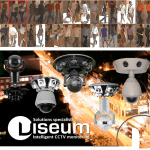 F3: Find, Fix and Follow
 Safe City Performance
 Safe City Report
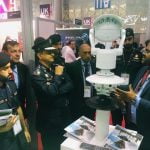 AI Surveillance Technology Introduction Programme
 Security RFP
 Public Safety Regulations and Video Surveillance
 International Safe Cities
- See everything in Safe Cities
Viseum Safe Cities PSIM
More videos
 One UK market example
 AI Video Analytics 2004
Security Industry Sectors
What happens after you contact Viseum
A specialist reads your project questionnaire for a commercial review and checks it against projects we have already delivered.
We arrange a live demonstration, either online from your own desk or on your site with a Rapid Deployment trailer.