

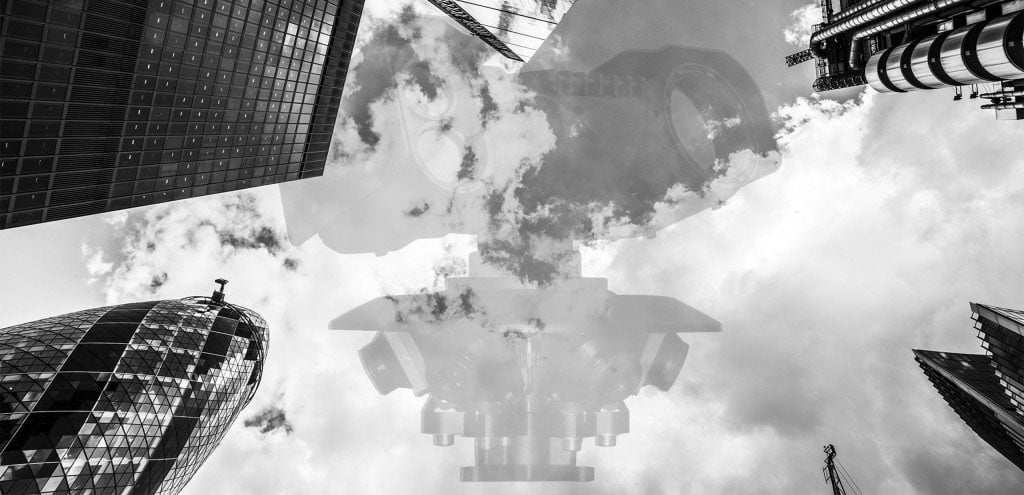
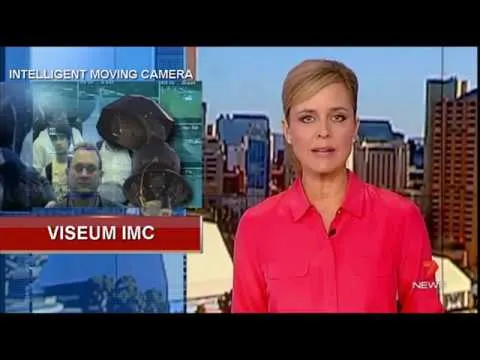
One Viseum camera does the work of 6 constantly manned cameras, a Metropolitan Police surveillance officer reported. Read the report
Airport Surveillance from Viseum
Viseum Airport F3 (Find, Fix, and Follow) Software Technology Services
Global F3 Find, Fix and Follow
One suspect, from a plate read in a city to detention at a border. Each step is found, fixed and followed, and a person confirms before anyone acts.
See Viseum Global F3 Find, Fix and Follow
Read the step-by-step description
A suspect vehicle drives into City A, watched by Viseum 360-degree and fixed cameras, among ordinary traffic. The bar along the top shows the stage: find, fix, follow. The strip along the bottom names where we are (for example City A, Station, Main Street), with the camera or source that has the person and the time; once the view moves in, the inset in the top corner shows the whole city with a gold rectangle for the part in view. Four moments slow down and zoom in: the face captured through the windscreen while the car is held in queuing traffic at a junction, and identified against the watch-list as wanted; the operator confirming the match from the line of look-alikes; the person lost inside a building, every exit watched, and, after changing clothes inside, re-identified on the way out: a card shows the watch-list profile (red jacket) beside what camera 14 sees (grey jacket), and ticks face, build and height, the backpack and the phone data in turn, marks the jacket as changed, and updates the profile; and the switch to a new car, when a drone takes over. Find: the number plate is read on the move; it belongs to a white Nissan Patrol but the car is a black Toyota Camry, so the car is flagged. The crosscheck appears over the bottom right, so the map stays clear. Fix: on foot among people who look alike, the cameras turn to each look-alike in turn and score it as they look (violet circles); the closest scores are listed, and one best match goes to the operator, who confirms it. Follow: each camera hands over to the next with a gold token. Police are told at once, but in a crowded city they follow at a distance and wait for a safe place to stop the suspect, so the cameras keep the suspect in sight for them; the second half shows where that happens. When line of sight is lost, dashed routes run to the cameras the person could reach next; the route to the camera where they reappear turns solid and the others fade. Cameras cannot see through high-rise blocks, only along streets and across open spaces. Each source is shown on the map where its information comes from, and its place on the Global F3 ring lights as it reports: a public post placing them in the area, a database record of past events on this route, a shop's own camera, shared live with the city network under a registered partner programme (as Dubai's Oyoon programme links private-sector cameras) and matched by the suspect's profile, the phone mast whose network data, where lawfully provided, places them inside the building, the vehicle crosscheck of the new car, and the drone. On the right, each source lights as it reports, the match level rises and falls with what is known, the newest finding sits at the top and command control shows which alerts went out. At the end the whole route is drawn in gold and the car, with the drone above it, leaves City A at the edge of the map. The match levels and scores shown are examples. Command control shows how each alert is used: the operator's alarm and the video wall in the control room, the patrol's handheld app (live view, photo and route) and the police radio for the officers on the ground, and the case file, which keeps every image and finding as evidence.
The suspect then drives away. In a slow moment at the city limit, the drone, which flies over City A only, hands the car to the first highway camera with the usual three beats (the drone glows, a gold token passes, the camera glows) and turns back. The same city then pulls out into its place on a simplified map of a real coastline and border, with no real names. Between the highway's cameras the car is unseen, so Global F3 weighs four possibilities, each drawn as a dashed blue route: the car hides in City A, or it heads for City B, the airport or the border crossing. City A's control room watches its parking areas and garages for the hiding case, and the profile, face and plate are sent ahead to the other three. Each possibility is then settled in turn: the plate read at City B rules out hiding in City A; the airport sighting confirms that route; no sighting back in City B rules City B out; and the border crossing is where the suspect is detained. The bars on the right show where the suspect could be, and the clocks show the journey time and the time since they were last seen. Each re-identification is a slow moment: the view slows down and zooms in. On the coastal highway at the edge of City B, a number-plate camera reads the car's plate in moving traffic (the plate is shown masked); staying in City A falls away and the route to City B turns solid. City A's control room then hands the case to City B's: the first glows, a green token travels between them along a green dotted control room link, the second glows, and the label in the corner of the map changes to the control room now in charge. At the airport entrance, where the airport runs live watch-list matching as Gulf airports do, the suspect is re-identified by face and profile against the authorised watch-list and an operator confirms, and police are sent from inside the terminal, but before they reach the entrance the suspect is back in the car and drives away, still followed by the cameras. With no sighting back in City B, the possible routes narrow to the inland road and the case is handed to the border control room. At the checkpoint the face and the plate are matched against the watch-list, an officer confirms, the lane barrier stays closed, and two officers detain the suspect at the booth and lead him away. He never crosses. Because he was heading for the neighbouring country, its police are then told through INTERPOL, in case accomplices or others are waiting for him on their side; nothing is tracked there. Finally the whole journey is drawn, solid gold where a camera saw the suspect and gold dots where it was worked out, with each hand-off marked by a gold diamond, and the panel sums up the sightings, hand-offs and elapsed time. Throughout, the overview in the corner shows where each close-up sits, and the strip along the top names the place. What each source on the Global F3 dial adds: Vehicles reads every plate and finds that this one belongs to another car; Face confirms the person, and an operator checks every match; Social media, checked under lawful authority, places the person on a street from a public post; Knowledge databases (police records) show the route was used before, so the system predicts where they go next; Partner cameras, a shop’s own cameras shared with the police, keep the follow going; Mobile networks, where lawfully provided, confirm the person is inside a building; and Drones follow from above when the person drives away. The match scores, plate digits and journey times shown are examples.
- Viseum’s Airport Surveillance Systems fully optimise any network of cameras. They automatically detect, recognise, and follow people from short range to long range, at greater distances than any other Airport Security System.
- Reliably detect with 4 times greater accuracy than any other airport surveillance system in real-world deployments.
- Automatically create and grow your secure database of people, vehicles and watchlists. It scales from matching and following a few hundred people and vehicles to recognising many millions in real time.
Viseum Airport Surveillance Systems automatically detect multiple incidents in all directions at the same time. Viseum’s Airport Surveillance and Security Systems also operate completely automatically. They follow suspects and confirm incidents with high-quality close-up video, even before the alarm is raised. These Airport Security Systems automatically report incidents for rapid response and investigations.
LEVEL 1TECHNOLOGY INTRODUCTION PROGRAMME

The appearance of Viseum’s Intelligent Airport Surveillance Cameras also protects the airport. This deters criminals because they believe that operators watch every airport surveillance camera constantly.
Intelligent surveillance camera for high security airports
Airport surveillance systems across the whole site
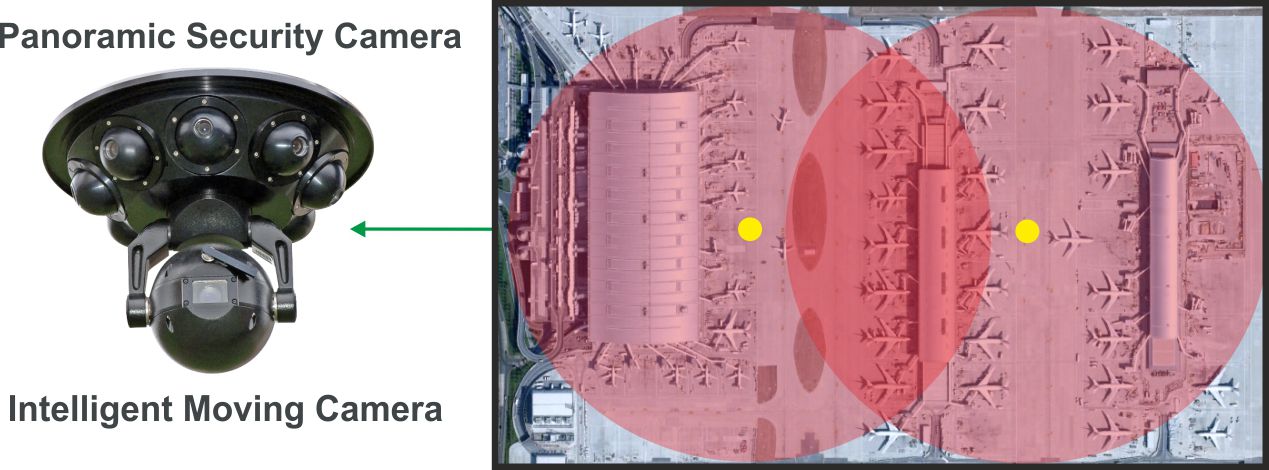
Viseum UK provides the most effective Airport Security Systems: they detect, recognise and follow people from short range to long range, covering both Perimeter Surveillance and all movement within areas of an airport. Optimised airport security uses the Viseum Intelligent 360 Security Camera, which contains multiple cameras built inside a single unit. This provides complete panoramic coverage in any direction up to 360°. Each Viseum camera in an airport carries the required number of wide contextual view surveillance cameras for covering the designated areas.
Optimised configuration examples of Airport Surveillance:
- 6 wide contextual view cameras and 1 PTZ Camera for full 360° coverage. Deployed onto airport camera columns.
- 5 wide contextual view cameras and 1 PTZ Camera for 300° coverage. Deployed onto corners of buildings, or airport security lighting columns.
- 3 wide contextual view cameras and 1 PTZ Camera for 180° coverage. Deployed onto the side of airport buildings.
Example Airport Security Systems:
Airport Security Camera Systems protecting up to 10 airport terminals with 250 aircraft gates.
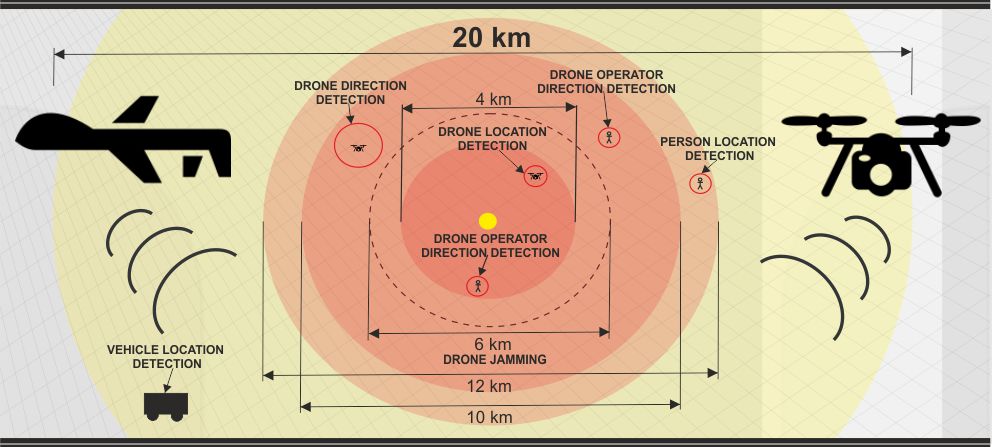
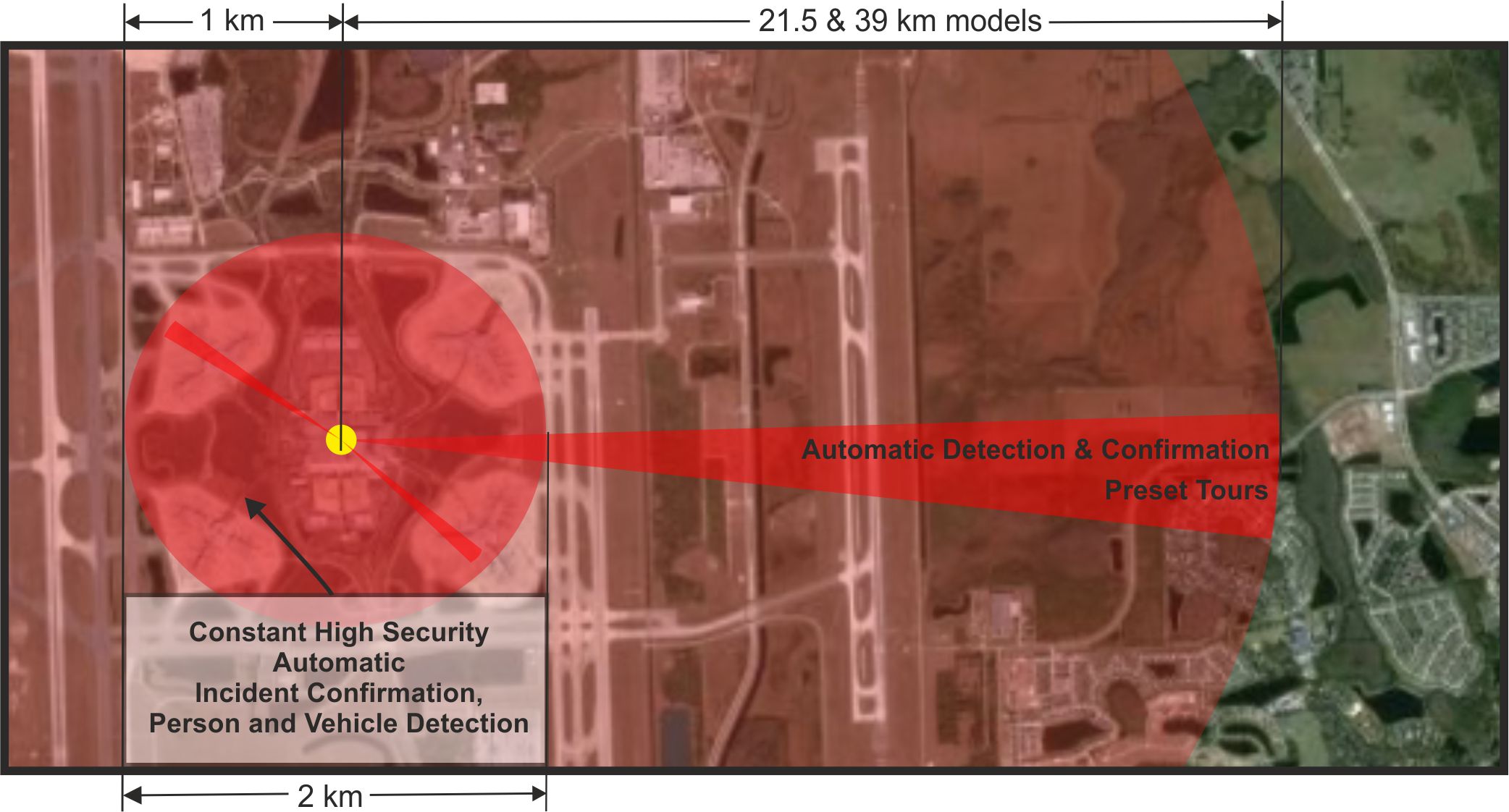
Airport Surveillance Extended Thermal surveillance system coverage suits each project with distances out to 78 km as standard, and up to 124 km in extended configurations specified after site survey.
Viseum iVOS (Intelligent Virtual Operator Software)
Viseum iVOS makes better use of airport security personnel. It also reduces the need to train security staff for routine monitoring tasks. Viseum’s iVOS Software Technology Services monitor every camera installed on the network. Analysing incidents, it automatically controls the PTZ Camera to follow, confirm, record and report incidents. The software also performs key but mundane tasks, such as:
- What airport activity to monitor.


- When to monitor the airport for incidents.
- Where to monitor for airport incidents.
- What responses should follow what types of airport incidents.
Airport Security and Surveillance Threat Management Systems
If intruders approach or breach the airport perimeter fence, Viseum’s PTZ camera automatically zooms in and follows them. The system then displays close-up video automatically on surveillance monitors for security response. When the airport’s perimeter intrusion detection system (PIDS) registers a breach, Viseum’s iVOS F3 (Find, Fix and Follow) Software Technology Services automatically track intruders from where they breach the perimeter and as they circulate. This software will also track the intruders through the airport terminal buildings using the airport’s internal cameras. It tracks them when they move from one camera to another. It will re-identify them if they temporarily disappear and then reappear on other cameras.
More than one intruder can enter the coverage of a single Viseum IMC. Viseum Software Technology Services track them all. It controls the PTZ Camera to zoom in, follow and switch between intruders automatically. Throughout the incident, the intruders’ locations and close-up video images reach the control room automatically. Suspects may enter certain areas. Security personnel may not follow the correct procedures. In both cases the system automatically notifies the head of security to start escalation procedures.
When the incident has finished, investigators use the surveillance video for a rapid investigation. Viseum software systems take images of intruders and track their movements automatically. Viseum’s face recognition software automatically investigates if the intruders had visited the site before to plan their crime.
Airport Security Baggage System
Our approach for airport security baggage is to visually follow the traveller and the traveller’s baggage. The system shows when the baggage is with the traveller, and when it leaves for the aircraft’s baggage hold. This tracking uses visual biometrics and cross-checks references with other control devices. It links the traveller, the traveller’s location and the traveller’s baggage. The traveller and the baggage meet again automatically at the final destination.
This solves many airport security baggage problems and security risks. It also stops the wrong person collecting a traveller’s baggage and shows if bags are tampered with, whether through terrorism, mistakes or theft.
Baggage and records
Aviation regulators expect records rather than assurances.
Downloads


This narrated presentation also shows why no one can find a weak point in a protected perimeter. Viseum Thermal and Optical Surveillance Cameras cover every approach.
Airport surveillance systems that reduce operator workload
Airport surveillance systems fail when there are more cameras than people to watch them. Ours decide for themselves where to look closely, and they escalate only what matters. A single mast covers an apron, a parking area or a perimeter arc that once needed several fixed cameras.
Airport operators and government advisors need a system that detects an intrusion before it reaches airside, keeps night-time false alarms in the control room to a minimum, and holds staffing and maintenance costs down over a decade.
Landside, airside and the perimeter
For example a terminal forecourt fills with vehicles and crowds, while a boundary fence runs for miles across open ground. Thermal detection also extends cover far beyond the reach of a colour camera at night. Meanwhile the same software handles all three zones, so the control room learns one interface rather than three.
Meeting regulation and proving compliance
Every automatic detection and every operator action carries a timestamp. The monthly reporting also shows response times and incident trends across a full year. An audit becomes an exercise in printing what the system already holds.
What airport surveillance systems cost to run
Staffing dominates the whole-life cost at every airport we have worked with. A security manager also has to fund operators through the night. Because our cameras confirm the cause of an alarm themselves, a small team supervises a very large site. We also upgrade the PTZ cameras and recorders an airport already owns, which protects earlier investment.
Working alongside your existing airport systems
Most airports already run a mix of recorders, access control and perimeter sensors. Our airport surveillance systems speak open standards instead of a private protocol. The software can also drive the PTZ cameras you already own. An upgrade rarely means ripping anything out.
Firstly we survey each proposed mast position and model its true coverage. Secondly we test power and communications at that point. Thirdly we run a live trial, often from a trailer, before anyone commits capital. The business case rests on evidence from your own site.
Choosing an airport surveillance company
What should an airport ask before choosing a surveillance company?
Whether the system confirms alarms itself, covers landside, airside and long perimeters, works with the cameras already installed, and keeps an evidence trail auditors accept. Viseum does all four.
Does it work with our existing cameras?
Yes. Our engineers upgrade the PTZ cameras and video management system an airport already owns, so earlier investment is protected.
How much ground does one camera cover?
One Viseum camera does the work of 6 constantly manned cameras, a Metropolitan Police surveillance officer reported. Thermal cameras with Viseum AiRadar cover perimeters up to the size of New York City.
More in Featured Projects
 Military Drone Defence
 Safe Cities
 Missile Detection System
 Border security cameras
 Safe City
- Counter Drone System
 Traffic Enforcement Camera
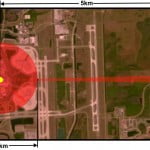 Airport Surveillance
 Critical infrastructure security cameras
 Construction Site Security Cameras
 Gated Community Security Systems
 Riot Police and Riot Control Cameras
- See everything in Featured Projects
Radar detection 2004

More videos
 Viseum AI camera on TV
 Olympic Security
What happens after you contact Viseum
A specialist reads your project questionnaire for a commercial review and checks it against projects we have already delivered.
We arrange a live demonstration, either online from your own desk or on your site with a Rapid Deployment trailer.