 Viseum AI Surveillance Video Monitoring Software
Face Recognition Software Analytics for Video Surveillance Facial Biometrics
There are 4 main Viseum Face Recognition Software Technology Services Product Solutions designed to help prevent crime and terror. Also used to investigate crime after an incident, iVOS face recognition software helps deliver the world’s best security services. The Viseum facial biometrics software analytics technology also meets UK data protection rules on image management and image sharing.

Safe City Read the Metropolitan Police surveillance officer’s report
Following one person through standard and Viseum IMC cameras
A Viseum IMC camera picks one person out of a crowd and follows them from camera to camera, beside a fixed standard camera that cannot.
See Viseum Face Recognition Software
Read the step-by-step description
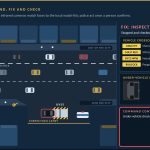
Cameras 1 and 3 are standard cameras with a fixed view: each sees only what is inside its cone, narrow close to the camera and wide across the far sidewalk. Cameras 2 and 4 are Viseum IMC cameras: each sees all round, and zooms in on one person at a time, the narrowed view drawn on the street, following them until a usable face is captured. Everyone who walks into a camera's view is boxed in the street view, appears in that camera's view below, and is profiled straight away in the panel on the right, so the three always agree; when several people are in view the panel cycles through them. Find: camera 1 picks the suspect in the red jacket out of the crowd and builds a profile of clothing, height, build, hair, bag and walk. Between cameras the suspect is out of sight and the profile is held. Faces are captured whenever a camera sees one and are shown as a face-recognition system sees them, not as pictures: 68 landmark points on a face mesh, how far the head is turned, and a quality score. A side view, eyes under a cap or a head looking down is too poor to compare; only a full face is turned into a template and compared with the authorised watch-list, and anyone below the alert level is a no-match whose template is deleted at once, as in UK police live facial recognition. Fix: Viseum IMC camera 2 zooms in on selected people in turn; the suspect's full face scores above the alert level and matches the profile, so the suspect is confirmed, while every other face is a no-match and is deleted. A zoom cannot see eyes under a cap, so that face stays too poor to compare. Standard camera 3 sees only a turned face and re-identifies the suspect by profile. Viseum IMC camera 4 zooms in on the suspect only, to reconfirm the re-tracking by face. Follow: the profile is handed on from camera to camera. The alert level of 0.60 is the default setting of a leading police face-matching system (National Physical Laboratory, 2023); the other scores shown are examples.
Global F3 Find, Fix and Follow
One suspect, from a plate read in a city to detention at a border. Each step is found, fixed and followed, and a person confirms before anyone acts.
See Viseum Global F3 Find, Fix and Follow
Read the step-by-step description
A suspect vehicle drives into City A, watched by Viseum 360-degree and fixed cameras, among ordinary traffic. The bar along the top shows the stage: find, fix, follow. The strip along the bottom names where we are (for example City A, Station, Main Street), with the camera or source that has the person and the time; once the view moves in, the inset in the top corner shows the whole city with a gold rectangle for the part in view. Four moments slow down and zoom in: the face captured through the windscreen while the car is held in queuing traffic at a junction, and identified against the watch-list as wanted; the operator confirming the match from the line of look-alikes; the person lost inside a building, every exit watched, and, after changing clothes inside, re-identified on the way out: a card shows the watch-list profile (red jacket) beside what camera 14 sees (grey jacket), and ticks face, build and height, the backpack and the phone data in turn, marks the jacket as changed, and updates the profile; and the switch to a new car, when a drone takes over. Find: the number plate is read on the move; it belongs to a white Nissan Patrol but the car is a black Toyota Camry, so the car is flagged. The crosscheck appears over the bottom right, so the map stays clear. Fix: on foot among people who look alike, the cameras turn to each look-alike in turn and score it as they look (violet circles); the closest scores are listed, and one best match goes to the operator, who confirms it. Follow: each camera hands over to the next with a gold token. Police are told at once, but in a crowded city they follow at a distance and wait for a safe place to stop the suspect, so the cameras keep the suspect in sight for them; the second half shows where that happens. When line of sight is lost, dashed routes run to the cameras the person could reach next; the route to the camera where they reappear turns solid and the others fade. Cameras cannot see through high-rise blocks, only along streets and across open spaces. Each source is shown on the map where its information comes from, and its place on the Global F3 ring lights as it reports: a public post placing them in the area, a database record of past events on this route, a shop's own camera, shared live with the city network under a registered partner programme (as Dubai's Oyoon programme links private-sector cameras) and matched by the suspect's profile, the phone mast whose network data, where lawfully provided, places them inside the building, the vehicle crosscheck of the new car, and the drone. On the right, each source lights as it reports, the match level rises and falls with what is known, the newest finding sits at the top and command control shows which alerts went out. At the end the whole route is drawn in gold and the car, with the drone above it, leaves City A at the edge of the map. The match levels and scores shown are examples. Command control shows how each alert is used: the operator's alarm and the video wall in the control room, the patrol's handheld app (live view, photo and route) and the police radio for the officers on the ground, and the case file, which keeps every image and finding as evidence.
The suspect then drives away. In a slow moment at the city limit, the drone, which flies over City A only, hands the car to the first highway camera with the usual three beats (the drone glows, a gold token passes, the camera glows) and turns back. The same city then pulls out into its place on a simplified map of a real coastline and border, with no real names. Between the highway's cameras the car is unseen, so Global F3 weighs four possibilities, each drawn as a dashed blue route: the car hides in City A, or it heads for City B, the airport or the border crossing. City A's control room watches its parking areas and garages for the hiding case, and the profile, face and plate are sent ahead to the other three. Each possibility is then settled in turn: the plate read at City B rules out hiding in City A; the airport sighting confirms that route; no sighting back in City B rules City B out; and the border crossing is where the suspect is detained. The bars on the right show where the suspect could be, and the clocks show the journey time and the time since they were last seen. Each re-identification is a slow moment: the view slows down and zooms in. On the coastal highway at the edge of City B, a number-plate camera reads the car's plate in moving traffic (the plate is shown masked); staying in City A falls away and the route to City B turns solid. City A's control room then hands the case to City B's: the first glows, a green token travels between them along a green dotted control room link, the second glows, and the label in the corner of the map changes to the control room now in charge. At the airport entrance, where the airport runs live watch-list matching as Gulf airports do, the suspect is re-identified by face and profile against the authorised watch-list and an operator confirms, and police are sent from inside the terminal, but before they reach the entrance the suspect is back in the car and drives away, still followed by the cameras. With no sighting back in City B, the possible routes narrow to the inland road and the case is handed to the border control room. At the checkpoint the face and the plate are matched against the watch-list, an officer confirms, the lane barrier stays closed, and two officers detain the suspect at the booth and lead him away. He never crosses. Because he was heading for the neighbouring country, its police are then told through INTERPOL, in case accomplices or others are waiting for him on their side; nothing is tracked there. Finally the whole journey is drawn, solid gold where a camera saw the suspect and gold dots where it was worked out, with each hand-off marked by a gold diamond, and the panel sums up the sightings, hand-offs and elapsed time. Throughout, the overview in the corner shows where each close-up sits, and the strip along the top names the place. What each source on the Global F3 dial adds: Vehicles reads every plate and finds that this one belongs to another car; Face confirms the person, and an operator checks every match; Social media, checked under lawful authority, places the person on a street from a public post; Knowledge databases (police records) show the route was used before, so the system predicts where they go next; Partner cameras, a shop’s own cameras shared with the police, keep the follow going; Mobile networks, where lawfully provided, confirm the person is inside a building; and Drones follow from above when the person drives away. The match scores, plate digits and journey times shown are examples.

Viseum Automated Person Identification with Face Recognition Software
Viseum Automated Person Recognition reads facial features and matches them against the features held in suspect databases. Most people know automated number plate recognition. This brings the same approach to identifying people.
Face Recognition AI Situational Awareness Software Applications:
AntiSocial Watch | ATM Watch | Border Control Watch | Bus Watch | Car Watch | Casino Watch | Club Watch | Events Watch | Festival Watch | Hospital Watch | Hotel Watch | Immigration Watch | Missing Person Watch | Plane Watch | Pub Watch | Rail Watch | Shop Watch | Shopping Centre Watch | Stadium Watch | Surgery Watch | Taxi Watch.
Live Matching, incorporating Automated Person Recognition
The iVOS camera captures images and identifies facial images. If an incident occurs, the system temporarily stores the image on an iVOS database for possible future use. It compares each new facial image with the images held on the relevant databases. For crime prevention these are mainly suspect databases.
Matching is effectively instant. A positive match raises an alarm in the control room, or on a hand held device, so staff can act. Set procedures cover adding facial images to the Face Recognition Software Technology Services databases and removing them. The system is transparent to the people whose images are captured. The required information is available under data protection law.
Live matching suits many uses, including vehicle immobilisation and ATM checks. It matches the face captured at the car or the ATM with a registered image. If the match is unsuccessful then the car will not start or the ATM will retain the card for investigation.
Evidence Search, incorporating Automated Person Recognition

Evidence search is used to search specific databases ‘post-event’ using images collected as part of specific evidence gathering. This tool matches people in evidence video against stored database images. It does not rely on an officer knowing the face. Identification after an incident becomes structured and repeatable.
Image Sharing, incorporating Automated Person Recognition
Fully compliant image sharing under the data management of Face Recognition Software Technology Services. Images are collected, held in segmented central databases and shared with local databases. Every step carries the required procedure and record. Databases can be central, local, distributed, networked or standalone.
Data Protection Compliance
Face Recognition Software Technology Services follows the recognised standards for image data protection. It covers privacy, human rights and data protection. In many PubWatch programmes today, personal images go to every venue. That happens whether or not the person ever visits. iVOS Face Recognition Software Technology Services ensures that the stored images are only activated when and where required.
The four core Face Recognition Software Technology Services products work with several image capture methods across the range. Clients’ own AI surveillance cameras may be used depending on the current video surveillance compliance level under data protection legislation. Viseum Face Recognition Software Technology Services offers a range of capture devices for specific needs. Each works with the four core products, for example:
Body Worn Cameras | Head Cameras |
Miniature Glasses | Hat Cameras | Police Car Cameras |
Police Van Cameras | Hand-held Cameras
Downloads
More in Intelligent Video Analytics
 Under Vehicle Surveillance System (UVSS)
 Vehicle Cross-Check
 AI Video Analytics
 Border Control and Border Security
 Face Recognition Software
- F3: Find, Fix and Follow
 Face Recognition Analytics
 Traffic management software
 Video Management System (VMS)
 Advanced Surveillance Technology
- See everything in Intelligent Video Analytics
Viseum AI camera on TV

What happens after you contact Viseum
A specialist reads your project questionnaire for a commercial review and checks it against projects we have already delivered.
We arrange a live demonstration, either online from your own desk or on your site with a Rapid Deployment trailer.