

Find, fix and follow: how it works
Global F3 works in three stages. Find: the system or the operator identifies the person or vehicle of interest. Fix: the software re-identifies the same person or vehicle on the next cameras. Follow: it keeps them in view from camera to camera and sends alarms to the control room as they move.
Global F3 Find, Fix and Follow
One suspect, from a plate read in a city to detention at a border. Each step is found, fixed and followed, and a person confirms before anyone acts.
Read the step-by-step description
A suspect vehicle drives into City A, watched by Viseum 360-degree and fixed cameras, among ordinary traffic. The bar along the top shows the stage: find, fix, follow. The strip along the bottom names where we are (for example City A, Station, Main Street), with the camera or source that has the person and the time; once the view moves in, the inset in the top corner shows the whole city with a gold rectangle for the part in view. Four moments slow down and zoom in: the face captured through the windscreen while the car is held in queuing traffic at a junction, and identified against the watch-list as wanted; the operator confirming the match from the line of look-alikes; the person lost inside a building, every exit watched, and, after changing clothes inside, re-identified on the way out: a card shows the watch-list profile (red jacket) beside what camera 14 sees (grey jacket), and ticks face, build and height, the backpack and the phone data in turn, marks the jacket as changed, and updates the profile; and the switch to a new car, when a drone takes over. Find: the licence plate is read on the move; it belongs to a white Nissan Patrol but the car is a black Toyota Camry, so the car is flagged. The crosscheck appears over the bottom right, so the map stays clear. Fix: on foot among people who look alike, the cameras turn to each look-alike in turn and score it as they look (violet circles); the closest scores are listed, and one best match goes to the operator, who confirms it. Follow: each camera hands over to the next with a gold token. Police are told at once, but in a crowded city they follow at a distance and wait for a safe place to stop the suspect, so the cameras keep the suspect in sight for them; the second half shows where that happens. When line of sight is lost, dashed routes run to the cameras the person could reach next; the route to the camera where they reappear turns solid and the others fade. Cameras cannot see through high-rise blocks, only along streets and across open spaces. Each source is shown on the map where its information comes from, and its place on the Global F3 ring lights as it reports: a public post placing them in the area, a database record of past events on this route, a shop's own camera, shared live with the city network under a registered partner programme (as Dubai's Oyoon programme links private-sector cameras) and matched by the suspect's profile, the phone mast whose network data, where lawfully provided, places them inside the building, the vehicle crosscheck of the new car, and the drone. On the right, each source lights as it reports, the match level rises and falls with what is known, the newest finding sits at the top and command control shows which alerts went out. At the end the whole route is drawn in gold and the car, with the drone above it, leaves City A at the edge of the map. The match levels and scores shown are examples. Command control shows how each alert is used: the operator's alarm and the video wall in the control room, the patrol's handheld app (live view, photo and route) and the police radio for the officers on the ground, and the case file, which keeps every image and finding as evidence.
The suspect then drives away. In a slow moment at the city limit, the drone, which flies over City A only, hands the car to the first highway camera with the usual three beats (the drone glows, a gold token passes, the camera glows) and turns back. The same city then pulls out into its place on a simplified map of a real coastline and border, with no real names. Between the highway's cameras the car is unseen, so Global F3 weighs four possibilities, each drawn as a dashed blue route: the car hides in City A, or it heads for City B, the airport or the border crossing. City A's control room watches its parking areas and garages for the hiding case, and the profile, face and plate are sent ahead to the other three. Each possibility is then settled in turn: the plate read at City B rules out hiding in City A; the airport sighting confirms that route; no sighting back in City B rules City B out; and the border crossing is where the suspect is detained. The bars on the right show where the suspect could be, and the clocks show the journey time and the time since they were last seen. Each re-identification is a slow moment: the view slows down and zooms in. On the coastal highway at the edge of City B, a number-plate camera reads the car's plate in moving traffic (the plate is shown masked); staying in City A falls away and the route to City B turns solid. City A's control room then hands the case to City B's: the first glows, a green token travels between them along a green dotted control room link, the second glows, and the label in the corner of the map changes to the control room now in charge. At the airport entrance, where the airport runs live watch-list matching as Gulf airports do, the suspect is re-identified by face and profile against the authorised watch-list and an operator confirms, and police are sent from inside the terminal, but before they reach the entrance the suspect is back in the car and drives away, still followed by the cameras. With no sighting back in City B, the possible routes narrow to the inland road and the case is handed to the border control room. At the checkpoint the face and the plate are matched against the watch-list, an officer confirms, the lane barrier stays closed, and two officers detain the suspect at the booth and lead him away. He never crosses. Because he was heading for the neighbouring country, its police are then told through INTERPOL, in case accomplices or others are waiting for him on their side; nothing is tracked there. Finally the whole journey is drawn, solid gold where a camera saw the suspect and gold dots where it was worked out, with each hand-off marked by a gold diamond, and the panel sums up the sightings, hand-offs and elapsed time. Throughout, the overview in the corner shows where each close-up sits, and the strip along the top names the place. What each source on the Global F3 dial adds: Vehicles reads every plate and finds that this one belongs to another car; Face confirms the person, and an operator checks every match; Social media, checked under lawful authority, places the person on a street from a public post; Knowledge databases (police records) show the route was used before, so the system predicts where they go next; Partner cameras, a shop’s own cameras shared with the police, keep the follow going; Mobile networks, where lawfully provided, confirm the person is inside a building; and Drones follow from above when the person drives away. The match scores, plate digits and journey times shown are examples.
Following one person through standard and Viseum IMC cameras
A Viseum IMC camera picks one person out of a crowd and follows them from camera to camera, beside a fixed standard camera that cannot.
See Viseum Face Recognition Software
Read the step-by-step description
Cameras 1 and 3 are standard cameras with a fixed view: each sees only what is inside its cone, narrow close to the camera and wide across the far sidewalk. Cameras 2 and 4 are Viseum IMC cameras: each sees all round, and zooms in on one person at a time, the narrowed view drawn on the street, following them until a usable face is captured. Everyone who walks into a camera's view is boxed in the street view, appears in that camera's view below, and is profiled straight away in the panel on the right, so the three always agree; when several people are in view the panel cycles through them. Find: camera 1 picks the suspect in the red jacket out of the crowd and builds a profile of clothing, height, build, hair, bag and walk. Between cameras the suspect is out of sight and the profile is held. Faces are captured whenever a camera sees one and are shown as a face-recognition system sees them, not as pictures: 68 landmark points on a face mesh, how far the head is turned, and a quality score. A side view, eyes under a cap or a head looking down is too poor to compare; only a full face is turned into a template and compared with the authorised watch-list, and anyone below the alert level is a no-match whose template is deleted at once, as in UK police live facial recognition. Fix: Viseum IMC camera 2 zooms in on selected people in turn; the suspect's full face scores above the alert level and matches the profile, so the suspect is confirmed, while every other face is a no-match and is deleted. A zoom cannot see eyes under a cap, so that face stays too poor to compare. Standard camera 3 sees only a turned face and re-identifies the suspect by profile. Viseum IMC camera 4 zooms in on the suspect only, to reconfirm the re-tracking by face. Follow: the profile is handed on from camera to camera. The alert level of 0.60 is the default setting of a leading police face-matching system (National Physical Laboratory, 2023); the other scores shown are examples.
Every road on one wall
A vehicle cross-check sends a mismatched vehicle to an under-vehicle scan, and a portable face camera checks a stopped car, with an officer confirming before action.
See Viseum Vehicle Cross-Check
Read the step-by-step description
The view opens on a command centre's video wall of 308 screens, each showing a different stretch of road: wide divided highways with palms along the central median, ramps, interchanges, bends, roundabouts, roadside bays, junctions, city streets among towers and walled villas, and desert roads, some with traffic moving. Traffic drives on the right. The view zooms into one screen. Site 1 is a straight divided highway with a Viseum vehicle crosscheck gantry over one side: every vehicle's licence plate is read and its make, model and colour confirmed against the vehicle registered to that plate, and each shows MATCH as it passes, with the latest checks listed on the right. One plate is registered to a white van but is on a black SUV: the mismatch raises the alarm at command control straight away. An officer waves the suspect vehicle into an inspection bay on the right of the road while every other vehicle keeps moving. The whole site stays in view, in slow motion, as the gantry reads its plate; the camera does not zoom in or out. A card in the panel shows why it is sent to the scanner: the plate is registered to a white van, but the camera sees a black SUV, so both the body shape and the colour fail to match. That mismatch is the only reason; no other check is involved. The suspect vehicle crosses a Viseum under vehicle surveillance system (UVSS) slowly, the under-vehicle image builds strip by strip and shows an anomaly; officers pull back and the bomb disposal team confirms a suspect device. The check bay is cordoned, and armed police, counter-terrorism police, the bomb disposal team, the security service and neighbouring forces are alerted, and police stop the traffic and close the road around it. The view returns to the wall and zooms into a different screen. Site 2 is a curved two-lane road approaching a check bay on the right; it also plays in slow motion, at the same steady speed as site 1. An infrared camera on the bend reads every plate; the action slows as it reads the plate of a silver Toyota Camry in the outside lane: the plate is registered to a different car, so the crosscheck fails and command control raises the alarm. A person at command control checks the mismatch and police are called. The police slow the outside lane and an officer waves the car across to the right into the check bay. With the car stopped, the view closes in: an officer asks for the windows to be lowered and police set up a portable face camera right beside the car (visible light with near-infrared lighting, because thermal cameras cannot see through glass and watch-lists hold ordinary photographs), and it checks everyone in the car against the local watch-list: the driver is no match and is deleted at once, and the front passenger is a wanted person. An officer confirms the match before the police act, the passenger is detained under a lawful power, and both lanes flow again. The view returns to the wall and the sequence runs again. The traffic at both sites is a real mix of cars, larger cars, vans, trucks and motorcycles, each driven a little differently: closing up and dropping back, braking, and drifting slightly within the lane. The plates, match figures and times shown are examples.
Viseum Global F3 is find, fix and follow Software Technology Services that track a person or a vehicle across a whole camera network, live or in recorded video. It is for police forces, city control rooms, border agencies, airports and critical sites that need to know where someone has been, where they are now and where they are going. It works with the cameras you already own and with Viseum moving cameras.
“The best video intelligence for public safety” (Police Report). A world first from Viseum, Global F3 plays a key role in the emergency chase of suspects and gives the most accurate situational awareness video intelligence.
Global F3 connects to your command and control system. It uses the types and locations of your cameras, their transmission rates and recording media, the threat level of the incident and the likely pursuit speed. From this it works out where the person could be, where they are most likely to be, and which cameras to search first.
Multi-camera person tracking across any brand of camera
Global F3 is designed to work with cameras from many makers, so a journey can be rebuilt across the whole camera network. It registers people as they enter the camera network and re-identifies them as they move between locations. The result is a journey reconstruction: each sighting, with its time, place and video, shown in order.
For investigations, this replaces days of searching stored video for a few seconds of evidence. For live incidents, it points the operator to the next likely camera before the person reaches it.
During investigations, millions of dollars are commonly wasted each year searching stored video. Even with a low-cost video surveillance system, Viseum iVOS Global F3 still delivers the best results.
Viseum iVOS F3: automated track and trace
Global F3 is another world first from Viseum. It tracks an individual’s actions, whereabouts and activities before and during travel throughout a city, a country or internationally, by automatically cross-checking multiple visual biometrics and access control information. It works with legacy camera systems, is digitally integrated with the Viseum 360 Security Camera, and is integrated with Viseum face recognition people tracking for safe city projects.
To protect our more than 10-year lead in this expertise, we show it only to verified customers, with live demonstrations at the customer’s chosen location.
Person re-identification with a ranked gallery
People in a crowd often look alike. When the person of interest is among similar-looking people, Global F3 shows the operator a gallery of the most likely matches, ranked from most to least likely. The operator examines them and confirms the right one. The software narrows the search; a trained person makes the decision.
Live pursuit with the Viseum moving camera
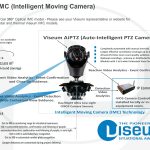
A fixed camera records what passes in front of it. Viseum adds a moving camera. On the Viseum 360 Security Camera, wide-view cameras detect the person and an automatic moving camera turns, zooms and follows them until a usable image of the face is captured. Viseum has developed this approach since its Tag and Track prototypes of 2005 and 2006.
One Viseum camera does the work of 6 constantly manned cameras, a Metropolitan Police surveillance officer reported.
Alarms go to command and control as audio, text or a visual display, and by SMS or email to staff on the ground.
Vehicle tracking across cameras
Pursuits often involve vehicles. Global F3 follows a suspect vehicle from camera to camera in the same way it follows a person. The moving camera zooms in for the licence plate and the vehicle’s details. With Viseum Vehicle Cross-Check, the system confirms that the make, model and colour match the registered plate. This helps to find cloned plates and vehicles that have changed plates. At gates and borders, the Viseum Checkpoint under vehicle surveillance system adds each vehicle’s checkpoint record to the same picture.
One picture from many sources
Global F3 can be joined with other Viseum and customer systems:
- Face recognition: matches a face captured during the pursuit against a lawfully held watchlist, for the operator to confirm.
- ANPR and traffic management: licence plate reads become sightings in the same journey.
- Public evidence upload: members of the public can send video, images and audio with location data to an investigation.
- Surveillance radar and counter drone alarms: a radar target can be handed to the cameras and followed.
- Mobile phone networks: for authorised agencies that lawfully obtain communications data under their own legal powers (in the United Kingdom, the Investigatory Powers Act 2016), Global F3 provides a surveillance workflow that cross-checks video against the locations and times of callers and recipients.
- Social media investigations: Global F3 can analyse images and text from social media sources the customer is lawfully authorised to access, for each investigation, to corroborate or identify the location and cause of public incidents. It does not build face databases by untargeted scraping of the internet.
Supplied only to authorised agencies, and only where the law of the customer’s country permits it. Searches use lawfully obtained sources under the customer’s legal authority.
The same engine can also trace movements for missing-person searches and major incident reunification, where the law allows it.
Public safety video intelligence
Even the best operators cannot watch every screen for every hour of a shift, and wages are an ongoing and increasing cost. Global F3 is a universal platform that can be customised for any AI situational awareness system, operated securely over the internet or locally during live pursuits and investigations. It also works out the possible and likely travelling speed of the suspect.
Further systems can be integrated as each project needs:
- Emergency broadcasts: alerts can be sent to smartphones in the relevant location, and live and recorded images can be uploaded automatically to command control during an emergency.
- Knowledge databases: central records of past events, how emergency processes performed and routine crime reduction work, used to follow crime trends against video surveillance key performance indicators.
- Drones and unmanned aerial vehicles (UAV), alongside Viseum counter-drone systems, against crime, terror and insurgency.
Development history
2010: an early demonstration of Viseum situational awareness, PSIM software combining people surveillance, track and trace and face recognition on a map of the camera network.

2006: Viseum iVOS F3 track and trace. Viseum introduced coloured boxes to highlight people, a helpful way to introduce video analytics software. The demonstration used Viseum’s fixed colour contextual view camera, which is used to train and certify all Viseum iVOS software engineers on Viseum’s core standards of video analytics software. It automatically verified and indexed its surveillance targets, gave each pedestrian a unique number to follow them through a city, and showed that it can ignore types of people where the site or security application requires. The Tag and Track concept showed the moving PTZ camera verifying and indexing its targets automatically.

2005: high-density pedestrian saliency on a Viseum 360 Security Camera. It detected salient targets in busy pedestrian and traffic areas and automatically moved the PTZ camera to follow them. A busy London shopping street was viewed live over a low-bandwidth mobile phone data connection, while the PTZ camera’s track and trace images were sent to command control over a high-bandwidth fibre connection.
Privacy by design
Global F3 follows people because of where they are and what they do in relation to an incident. In standalone mode, recorded video stays encrypted. It is unlocked with a verified crime reference number, and just for the time period of that crime. The decryption key can be shared among three people, so no video is seen without their knowledge. Matches are shown to a trained operator, and a person makes every decision. Read more about ethical AI and privacy at Viseum.
Typical pilot programme
Global F3 Software Technology Services are introduced in stages, starting with a pilot that has agreed success criteria. Typical durations are in working days.
| Stage | Activity | Working days |
|---|---|---|
| 1. Pilot design with initial training | Systems integration pre-planning | 10 |
| Systems research | 5 | |
| Agree and sign off pilot test success criteria | 10 | |
| Understand the scope of solution deployment | 5 | |
| Define pilot system specifications | 10 | |
| Total for stage 1 | 40 | |
| 2. Pilot deployment | Build pilot | 40 |
| Install and commission | 10 | |
| Technical and operational training | 5 | |
| Execute pilot | 30 to 120 | |
| Changes and modifications of systems, processes and networking | 20 | |
| Define initial requirements for solution deployment | 5 | |
| Total for stage 2 | 110 to 200 | |
| 3. Solution deployment | Phased growth from pilot to full-scale system | As agreed |
Download the Global F3 Find, Fix and Follow brochure (PDF).
Frequently asked questions
Does Global F3 work with our existing cameras?
Yes. It is designed to work with cameras of any brand, operated locally or securely over the internet. Camera position and image quality affect results, so we assess them during the pilot.
What is person re-identification?
It means recognising the same person on different cameras at different times. Global F3 uses appearance and movement, and the face when a moving camera captures it.
Does the software decide who is a suspect?
No. It finds and ranks likely matches. A trained operator confirms each match and decides what to do.
Can it follow a vehicle as well as a person?
Yes. It follows vehicles across cameras, and with Vehicle Cross-Check it checks that the vehicle matches its registered plate.
How is the privacy of the public protected?
Recorded video stays encrypted until a verified crime reference number unlocks the relevant time period. Every match is reviewed by a person.
How long does a pilot take?
Pilot design takes about 40 working days. Pilot deployment takes 110 to 200 working days, depending on the length of the trial agreed with you.
To see Global F3 find, fix and follow on your own cameras, send us your project questionnaire, and we can then arrange a private briefing or a live demonstration.
More in Demonstrations
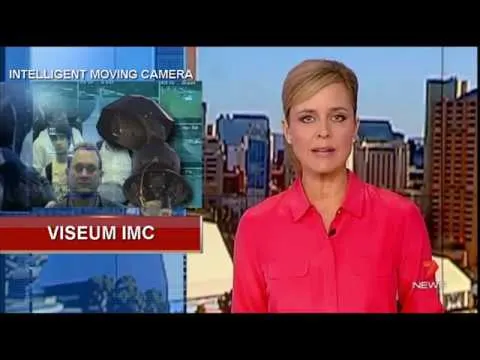
Viseum AI camera on TV
More videos
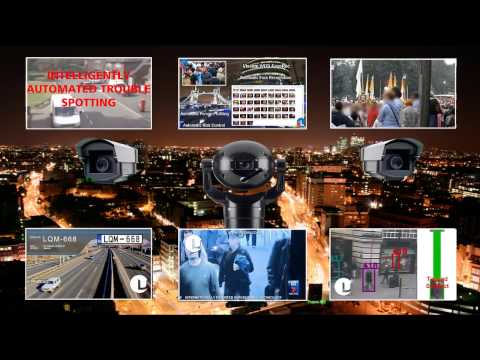 Intelligent Moving Camera PSIM
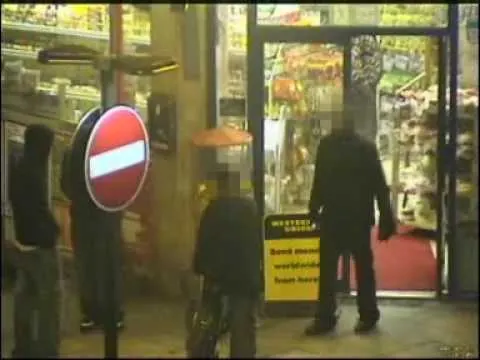 Drug Deal Auto Surveillance 2006
 Viseum Safe Cities PSIM
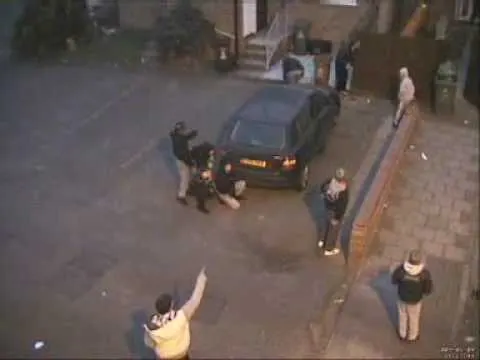 AI Situational Awareness 2005
AI Software Technology Services
Latest Security News
What happens after you contact Viseum
A specialist reads your project questionnaire for a commercial review and checks it against projects we have already delivered.
We arrange a live demonstration, either online from your own desk or on your site with a Rapid Deployment trailer.